
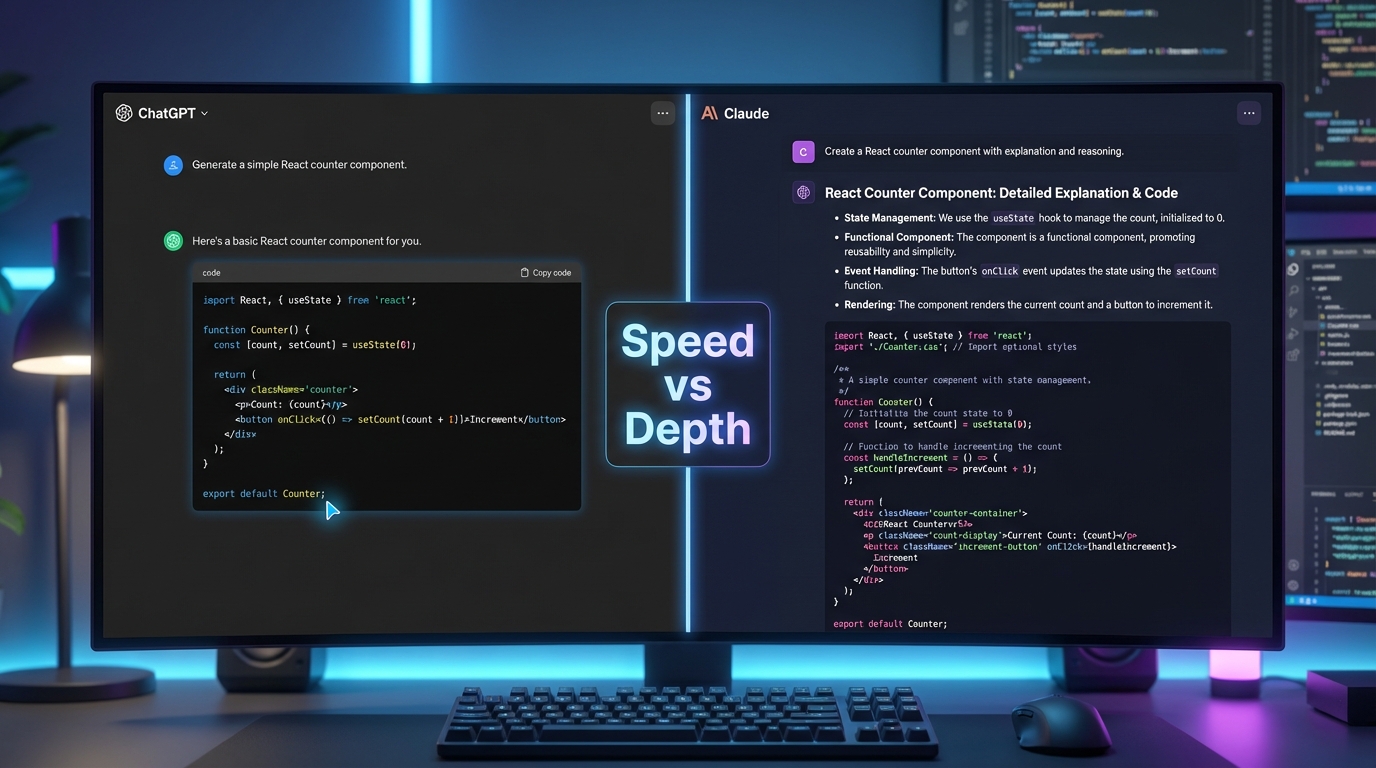
“Stop Comparing Tools, Compare How They Think!“
I’ve been burned by both.
But not in a “this AI gave me wrong syntax” kind of way. I mean burned like: I spent 45 minutes debugging a React component because ChatGPT confidently gave me outdated state management logic. And I’ve also wasted time watching Claude write a beautiful, deeply-reasoned response to a simple Express route fix, when all I needed was the fix. This isn’t a boring “ChatGPT vs Claude for Coding” comparison article, It’s NOT WHAT YOU THINK!
I’m a MERN stack developer. I also help students, write technical content, and build small projects to stay sharp. So I use AI coding tools daily not for fun, not to test them, but because I need them to work. And through all of that, I’ve learned one thing that almost no comparison article online talks about:
It’s not about which AI is smarter. It’s about which prompts you’re sending.
This is that article.
Table of Contents
The Real Difference: Prompt Sensitivity (Why Your Results Feel Random)
Most developers approach AI tools like vending machines, which definitely it isn’t. You put in a question, you expect an answer. But ChatGPT and Claude aren’t vending machines, they’re two very different thinking styles wrapped in chat interfaces, one developed by OpenAI and the other by Anthropic.
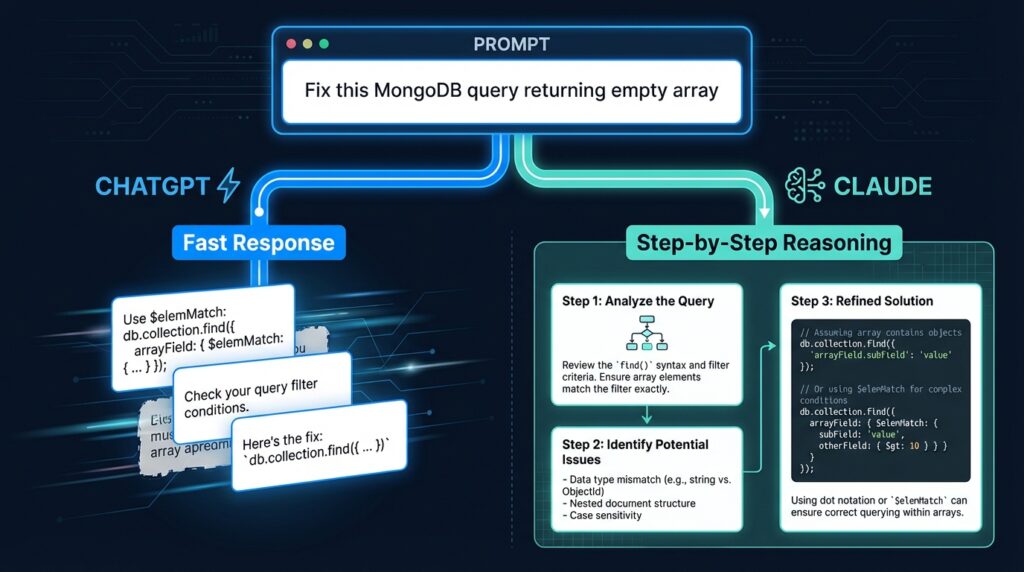
Here’s the simplest way I can explain it:
- ChatGPT = fast, reactive, “just do it” energy
- Claude = slow, planning-first, “let me make sure I understand” energy
None of them is wrong, but sending the same prompt to both will give you wildly different results and if you don’t understand why, you’ll blame the tool instead of the approach YOU made.
One thing worth knowing before we go further: Claude’s context window sits around 200K tokens, which is significantly larger than what most developers are used to working with. That’s not a marketing number, it genuinely changes how you can use the tool for large codebases. More on that later.
Let me show you what I mean with a real scenario.
I was debugging a MongoDB aggregation pipeline that kept returning an empty array. My first instinct was to paste the code into ChatGPT and ask: “Why is this returning empty?”
ChatGPT gave me three possible fixes immediately. Clean, fast, formatted. One of them worked. But I didn’t fully understand why and two days later, I hit the same bug in a different query.
When I took the same problem to Claude and asked: “Walk me through what this aggregation pipeline is doing at each stage, then tell me where it might be failing“ I got a step-by-step breakdown that actually taught me what was wrong. It took longer. But I haven’t made that mistake again.
Same bug. Same code but completely different outcomes because of how I prompted.
Check this out too: Prompt Engineering Frameworks for Developers
5 Prompt Types That Actually Work (With Real Outputs)
This section is the one I wish existed when I started. Let me break down five prompt structures that consistently produce better results from both tools.
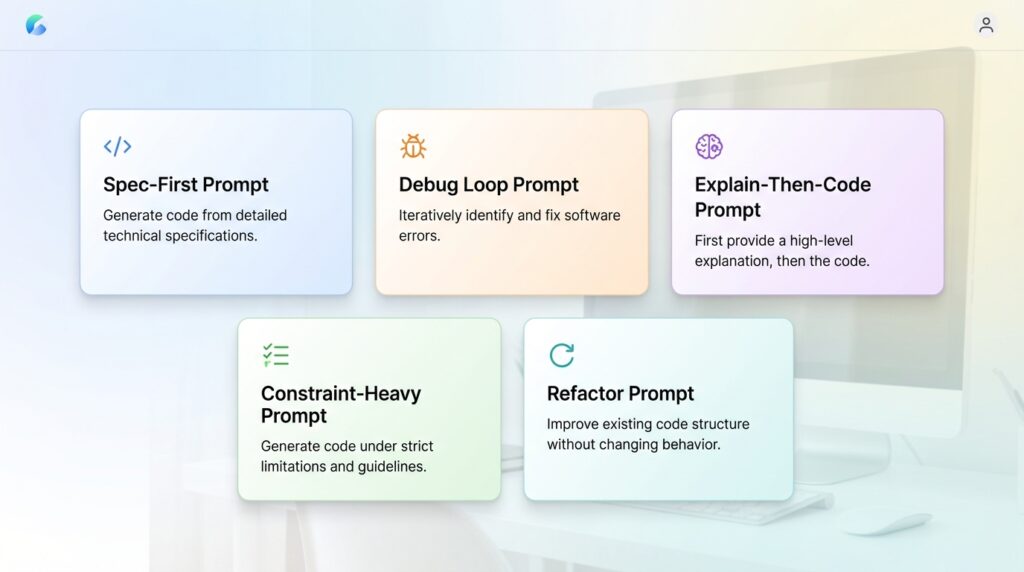
In most developer evaluations, the quality gap between models narrows significantly once you move from vague prompts to structured ones. The tool matters but the structure of your questions/query matters more.
1. The Spec-First Prompt
Instead of: “Build me a login form in React”
Try: “I need a React login form that handles JWT auth. The form should have email and password fields, show inline validation errors, and call a POST /api/auth/login endpoint. Return only the component, no extra explanation.”
Now You’re giving the model a mini-spec. ChatGPT will run with this and deliver fast. Claude will sometimes ask a follow-up clarifying question which can feel slow but usually results in cleaner output.
Why this works:
- Constraints remove ambiguity, so the model doesn’t have to guess your intent, you are defining it
- Specifying the endpoint forces the model to think in terms of your actual architecture, not a generic example
- “Return only the component” eliminates filler explanation and you get usable code, not a tutorial
Best for: Claude when building something new from scratch.
2. The Debug Loop Prompt
Instead of: “This code doesn’t work, fix it”
Try: “Here’s my Express middleware. It’s supposed to protect routes, but req.user is undefined after the token is verified. Walk me through the execution order and tell me where req.user might be getting lost.”
Why it works: You’re asking for reasoning, not just a patch. Claude handles this exceptionally well. ChatGPT tends to skip the reasoning and jump to a fix, which is great if you trust the fix, but risky if you don’t.
Why this works:
- Asking for “execution order” forces the model into a step-by-step mode, which reduces hallucinated fixes
- Naming the exact symptom (
req.user is undefined) gives the model a specific failure point to trace backward from - “Where might it be getting lost” invites probabilistic reasoning rather than a single overconfident answer
Best for: Claude when the bug isn’t obvious.
For more detailed debugging techniques: AI Debugging Techniques for JavaScript Developers
3. The Explain-Then-Code Prompt
Structure: “First explain how [concept] works, then write the code.”
Example: “First explain how MongoDB’s $lookup works, then write a query that joins orders with users by userId.”
This forces the model to think before it codes. With ChatGPT, this often produces more reliable output because it prevents it from jumping to a wrong pattern. With Claude, the explanation is usually richer sometimes too long, but the code that follows is usually solid.
Best for: Learning scenarios or unfamiliar territory.
4. The Constraint-Heavy Prompt
When you add constraints, both models behave better:
“Refactor this async function. Rules: no try-catch nesting deeper than one level, use async/await not .then(), and add a comment above each major step.”
Never forget constraints force structure. ChatGPT tends to follow explicit rules more consistently in a single pass. Claude may occasionally re-interpret a constraint but usually explains why, which gives you something to push back on.
Best for: ChatGPT for enforcing strict patterns in one shot.
5. The Refactor Prompt
“Here’s my React component. It works but it’s messy. Refactor for readability, rename vague variables, extract repeated logic into helpers, and don’t change any functionality.”
This is where Claude consistently wins for me. Its refactors are thoughtful and opinionated. ChatGPT’s refactors are technically correct but can feel generic.
Best for: Claude when code quality matters more than speed.
Failure Snapshot: When the Output Looks Right But Isn’t
This is the one that stings, not when the code is broken but when it looks fine and breaks later.
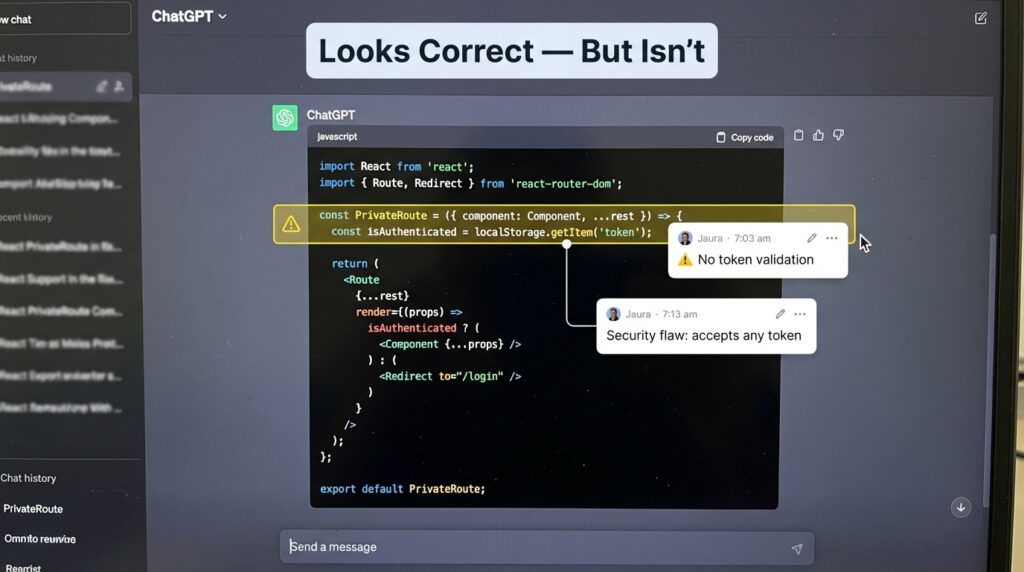
I was building a protected dashboard route in React. I asked ChatGPT: “Write a PrivateRoute component that checks for a JWT token in localStorage and redirects if missing.”
It gave me this:
const PrivateRoute = ({ element }) => {
  const token = localStorage.getItem('token');
  return token ? element : <Navigate to="/login" />;
};
It looks correct, also works in dev but it has a real problem: it doesn’t verify whether the token is expired or malformed it just checks for existence. Anyone who manually sets a fake token string in localStorage gets through.
I didn’t catch it until a student pointed it out two weeks later during a tutoring session. ChatGPT wasn’t wrong in a way that throws an error. It was wrong in a way that feels right which is more dangerous.
When I gave Claude the same prompt and added: “Flag any security assumptions in your solution” it immediately noted the localStorage trust issue and suggested pairing it with server-side verification.
One extra line in the prompt. Completely different level of output.
The lesson: both models will give you what you ask for. The problem is when you don’t know what you forgot to ask.
ChatGPT vs Claude for Coding: A Side-by-Side Prompt Experiments
Let me give you one controlled example I actually ran.
Scenario: MERN app, authentication bug. JWT token is being sent from the frontend but the protected Express route keeps returning 401.
Prompt (identical to both): “My Express route is returning 401 even though I’m sending the token correctly from the frontend. Here’s my middleware and route. What’s wrong?”
ChatGPT output: Spotted the issue in about 30 seconds. The Authorization header was being sent as Bearer<token> with no space. It flagged it, gave me the fix, done. Total value: immediate, practical, correct.
Claude output: Walked me through the entire token verification flow, explained what req.headers.authorization returns and why the split on ' ' would fail with a malformed header. It gave the same fix but also flagged two other potential issues in my middleware I hadn’t noticed yet.
Winner? For that specific bug in that specific moment ChatGPT. I was in a flow state and needed the answer fast. But Claude’s response gave me a code review I didn’t ask for and actually needed.
This is the nuance that comparison articles miss. They’re not competing they’re complementary.
When Claude Fails (And ChatGPT Saves You)
Honesty matters here, because I’ve seen developers treat Claude like it’s always the “smart, safe choice.” It’s not.
Claude fails when:
- You need something fast and the task is genuinely simple. Claude will sometimes over-engineer a five-line answer into a fifteen-line philosophical discussion.
- You’re writing quick utility scripts. Asking Claude to write a simple Node.js script to rename files in a folder can produce an unnecessarily abstracted solution when you just need four lines.
- Latency matters. Claude can feel noticeably slower on complex requests, and if you’re iterating quickly, that adds up.
- You want plugin-style agentic tasks. As of early 2026, ChatGPT’s integrations and task chaining in certain interfaces still feel more mature for quick automation workflows.
Real example: I once asked Claude to write a basic script to loop through a JSON file and log specific fields. It gave me a class-based solution with a custom logger. I just wanted console.log. ChatGPT gave me exactly that in one response.
Failure Snapshot: Claude’s Over-Engineering Problem
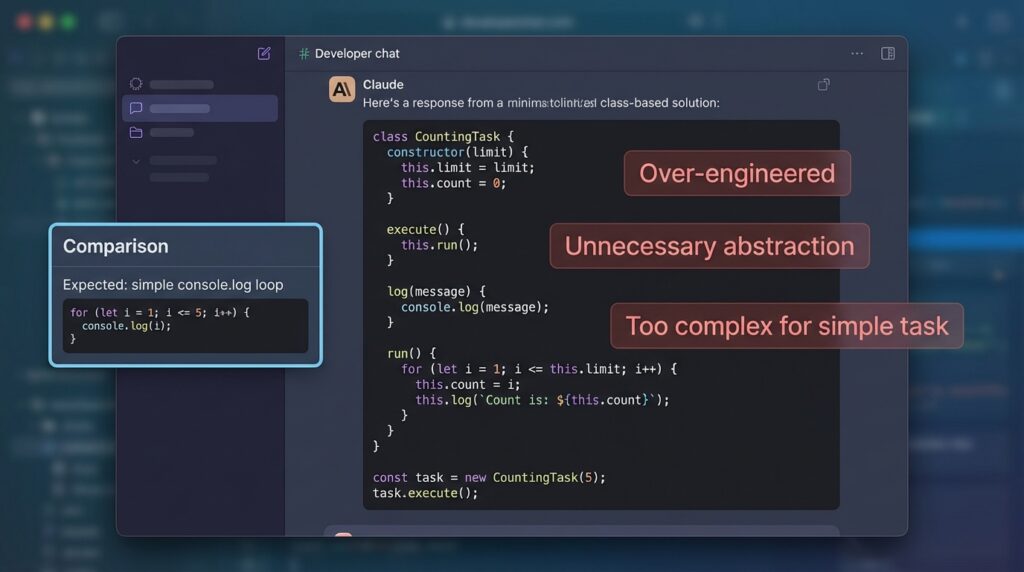
Here’s roughly what Claude returned for that simple JSON loop task:
class JsonFieldLogger {
  constructor(filePath, fields) {
    this.filePath = filePath;
    this.fields = fields;
  }
  log() {
    const data = JSON.parse(fs.readFileSync(this.filePath));
    data.forEach(item => {
      this.fields.forEach(f => console.log(`${f}: ${item[f]}`));
    });
  }
}
Technically fine. Completely unnecessary for the task. When you’re in the middle of building something and you need a throwaway script, this kind of response breaks your flow more than it helps. Developers have noticed this pattern consistently with Claude on low-complexity tasks — the model appears to optimize for “robust” over “minimal” by default.
The fix is simple: add “Keep this minimal, no classes, no abstraction” to your prompt. But you shouldn’t have to.
When ChatGPT Fails (And Claude Saves You)
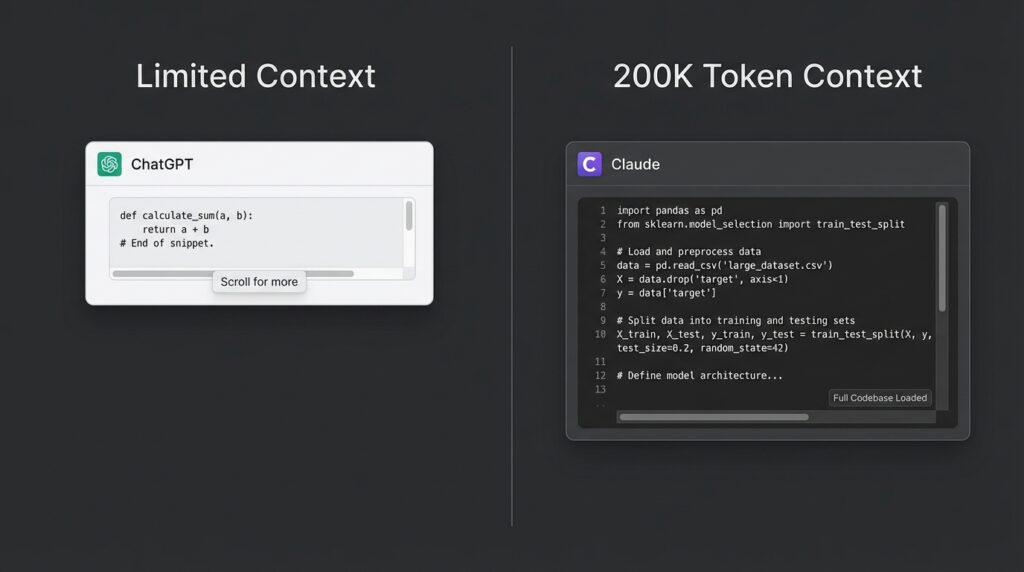
Flip side: there are situations where ChatGPT’s speed becomes its weakness.
ChatGPT fails when:
- The problem spans multiple files. If you paste three files worth of context and ask “why is this breaking,” ChatGPT can lose the thread. Claude’s larger context window genuinely helps here, it holds the whole picture better, and with 200K tokens of context, you can paste entire modules without worrying about the model forgetting what it read three messages ago.
- Architecture matters. I once asked both tools to suggest a folder structure for a growing MERN app. ChatGPT gave me a standard structure. Claude gave me the structure plus a rationale for each folder choice based on separation of concerns and flagged two anti-patterns I was already using.
- You need the model to remember constraints across a long conversation. ChatGPT has a shorter effective memory within a session. Claude maintains context with noticeably less drift.
- Code quality is more important than speed. In refactoring tasks, Claude almost always produces cleaner, more intentional changes.
The “Dual-AI Workflow” Smart Developers Actually Use
This is something I started doing without realizing it was a strategy. Now I do it on purpose.
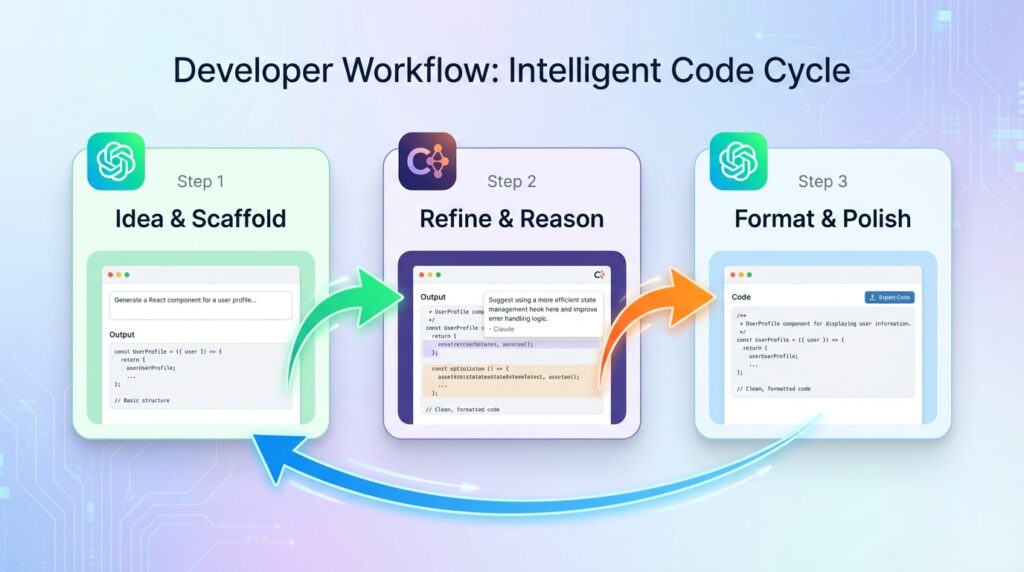
Here’s my current workflow for any medium-complexity coding task:
- ChatGPT: Ideation and quick scaffolding.“Give me a rough structure for a React dashboard with these five features.” Fast. Disposable. Gets me unstuck.
- Claude: Refinement and reasoning. I take ChatGPT’s output, paste it into Claude, and say: “Review this code structure. What’s fragile, what’s missing, what would you do differently?” Claude’s critique is almost always useful.
- ChatGPT: Final polish or format-specific output. If I need something in a specific format like JSDoc comments, a specific README structure, a particular API response shape. ChatGPT follows explicit formatting instructions very cleanly.
This isn’t a perfect system. Some days I skip Claude entirely. Some days I start with Claude and never open ChatGPT. But having a mental model of what each tool is good for means I waste less time fighting the wrong tool for the wrong job.
Best Prompt Templates for MERN Developers (Copy-Paste)
These are prompts I actually use. Adapt the specifics to your project.
Express Bug Debugging:
“Here’s my Express middleware and the route it protects. The route returns [error]. Walk me through the request lifecycle and identify where it’s likely failing. Then give me the fix.”
MongoDB Schema Design:
“I’m building a [feature] for a MERN app. Users have [relationship] with [resource]. Design a Mongoose schema that handles [constraint]. Explain any trade-offs in your design choices.”
React Component Refactor:
“Refactor this React component. Goals: improve readability, extract any repeated logic into custom hooks if appropriate, and keep all existing functionality intact. Explain each change in a comment above it.”
Full-Stack Feature Planning:
“I want to add [feature] to my MERN app. Break this down into backend tasks (routes, controllers, models) and frontend tasks (components, state management). Don’t write any code yet just give me a structured task list.”
Each of these will behave differently depending on which model you send them to. Try both. Compare. You’ll develop your own instincts quickly.
[Internal: Prompt Engineering Frameworks for Developers]
It’s Not Claude vs ChatGPT It’s Prompt vs Skill!
Here’s what I actually believe after months of using both tools seriously:
The model matters less than most people think. The prompt matters more than almost anyone admits.
I’ve seen beginner developers get mediocre results from both tools with vague prompts. And I’ve seen thoughtful, constraint-heavy prompts pull surprisingly strong output from whichever model was in front of them.
That said the tools are genuinely different. Claude thinks more. ChatGPT moves faster. Claude holds context better. ChatGPT follows explicit instructions more cleanly. Neither is a replacement for understanding your own code.
One thing I’ve noticed teaching students: the developers who improve fastest with AI tools aren’t the ones who find the “best” model. They’re the ones who get better at describing their problem precisely. That skill breaking down what you actually need, transfers to every tool, every model, every version update that makes today’s comparison article partially obsolete six months from now.
If I had to give one piece of honest advice:
Stop asking: “Which AI should I use?”
Start asking: “What do I actually need right now, speed or depth?”
Once you can answer that consistently, you’ll stop fighting your tools and start using them.
